On a walkthrough, two MG Road offices can look equally ready. The difference shows up on a Tuesday when your client call, an interview and a training session all need closed doors. One proposal includes a room inside your suite. Another gives you hours in a shared booking system. Both say “meeting room access.”
When comparing managed office space in MG Road, bring your attendance pattern, calendar and IT requirements to the tour. The real test is whether the office will work after everyone moves in.
Walk the floor on your busiest attendance day
A floor plan may show 40 desks, but what happens when 35 colleagues arrive, three new hires need training and the sales team starts calling clients? Check whether people can move comfortably and whether calls disrupt quiet work.
Bring the person responsible for office operations. Check chair clearance, storage, call privacy and visitor routes. If a layout change is offered, request a marked plan showing what is included, what costs extra and who signs off on the final layout.
Walk from the metro if your team uses it; check visitor parking if clients drive. If the location suits clients but makes staff commutes difficult, compare alternatives in Beginest’s Bangalore workspace location guide.
See whether the meeting rooms fit the calendar
Open the last two weeks of your team’s calendar. Mark meetings that needed privacy, how many people attended and which ones ran at the same time. Then compare that picture with the number of rooms and included booking hours in each proposal.
A dedicated room and shared-room access are different arrangements. For shared rooms, check recurring bookings, reservation lead time and charges. The room that looks free today might be occupied during your weekly client call.
Test a video call. Can remote participants hear the far end of the table and read the screen? Beginest lists meeting rooms in Bangalore among its workspace options, but the room allocation and booking terms for a managed suite should be confirmed in your proposal.
Ask what actually stays online during an outage
“High-speed internet” is not a continuity plan. Ask what happens when the primary connection fails: Is there a second line, how does switching work and who responds?
If your team needs a VPN, fixed IP or separate guest network, involve your IT lead before signing. Backup internet only helps when the setup suits your systems.
For power backup, check workstations, network gear, access control, meeting equipment and backup duration. Air conditioning may be excluded. If calls run late, confirm support beyond reception hours.
Find out who owns the everyday problems

If a new hire arrives without working access or the air conditioning stops mid-afternoon, who owns the problem? Ask the provider to show the actual reporting route: one contact, escalation if they cannot fix it, and the hours someone is available.
Check how the provider handles visitors, housekeeping and internet complaints. Ask how issues are logged and closed. A clear service process is more useful than a promise of “on-site support.”
Beginest’s Harbor 6 page lists private managed office suites, dedicated internal meeting rooms and fully managed workspace infrastructure. Confirm the exact inclusions and service hours for your proposed suite.
Would this office handle your busiest Tuesday?
Bring your seating plan, meeting schedule and IT checklist to the tour. Compare the actual setup before choosing a suite.
Compare the full cost, not just the seat rate
Send every shortlisted provider the same brief: number of seats, expected meeting-room use, working hours, preferred move-in date and any IT or layout requirements. Otherwise, one quote may include a service that the next one charges separately.
| Cost area | What to confirm in writing |
|---|---|
| Monthly office fee | Seats, furniture, internet, utilities, housekeeping, taxes and any usage caps |
| Meeting rooms | Dedicated or shared access, included booking hours, overage rates and equipment |
| Access and extras | Parking, visitor arrangements, after-hours access, printing and special IT requirements |
| Upfront payment | Deposit, setup work, branding, layout changes and any non-refundable charges |
| Changes and exit | Extra-seat rate, renewal terms, notice period, lock-in and deposit return conditions |
A higher fee may be justified if it includes rooms and support you would otherwise pay for separately. For a team with fewer meetings or lower support requirements, the affordable cost quote may be sufficient. Compare the total monthly workspace cost and commitments, not just the headline rate.
Agree what will be ready on move-in day
Request a written handover date and delivery list. Test the internet, access cards, meeting equipment and visitor process before staff arrive. Record who will fix any unfinished item and by when.
If five more employees join, where will they sit? What will extra seats cost and how will the agreement change? Space elsewhere in the building is not guaranteed expansion capacity.
Share your headcount, attendance, move-in date, hours and essential IT or privacy requirements with Beginest. That makes a proposed layout more useful than a generic desk quote.
Use a five-minute scorecard before shortlisting
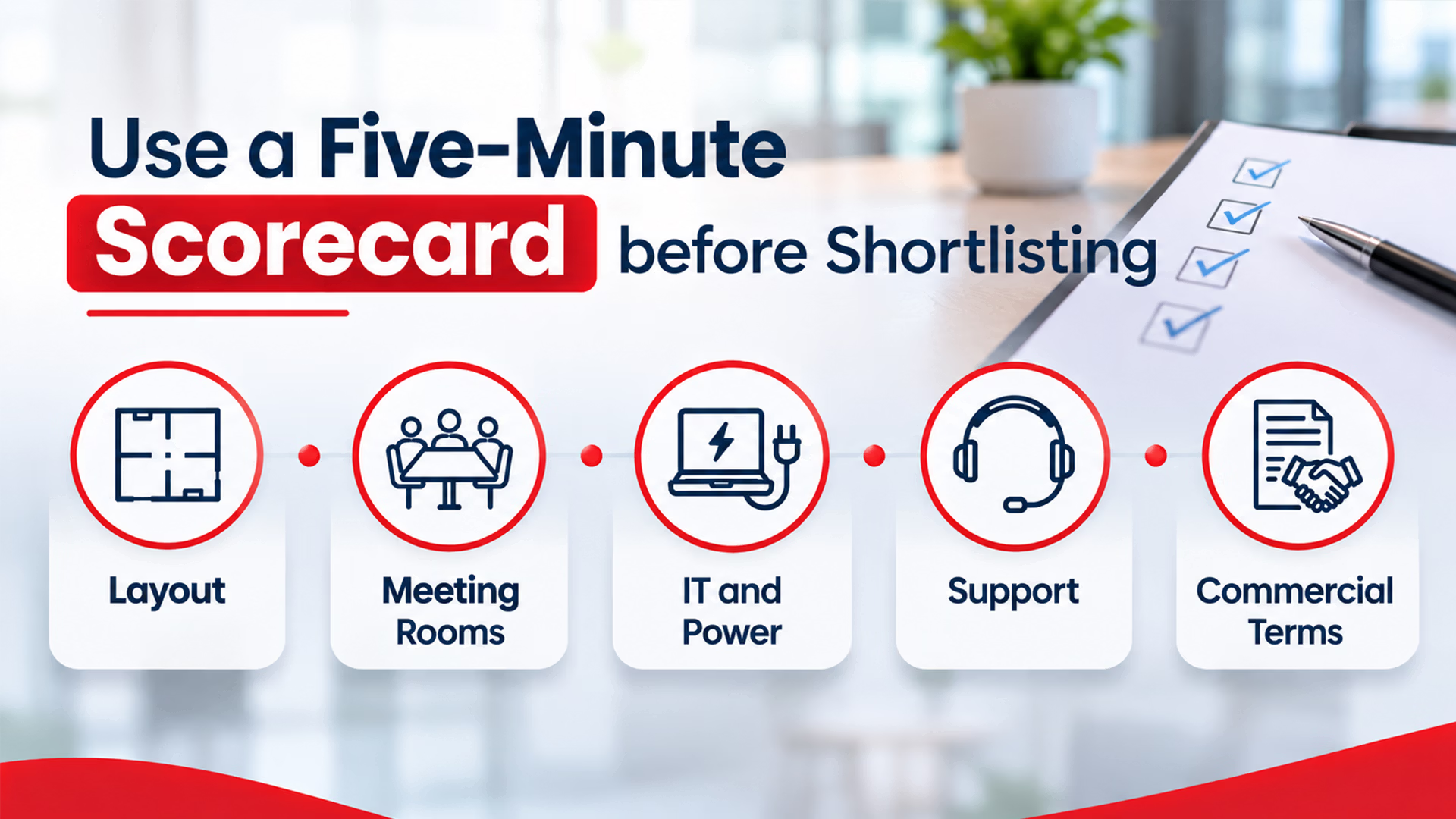
Put the brochures aside. Score each office from 0 to 2 on the five points below. Give 0 for a missing answer, 1 for a verbal answer and 2 for a drawing, written term or live demonstration. Use the same test for every option.
- Layout: Can the busiest team day fit without crowded walkways or noisy calls?
- Meeting rooms: Are booking hours sufficient for recurring client conversations?
- IT and power: Has the provider shown what stays online during an outage?
- Support: Is there a named contact, escalation route and response window?
- Commercial terms: Can finance calculate the monthly fee and exit costs?
If two options score closely, revisit the issue that could interrupt the most work. An attractive lobby cannot replace the room your team needs every Wednesday. Record the final comparison on one page so finance, IT and the person managing the office can judge the same evidence before signing.
Ready to compare a layout and a real quote?
Share the requirements you have checked on the tour, including room use, access hours and potential team growth.
Frequently asked questions
What should I check when touring a managed office on MG Road?
Start with the busiest day your team normally has. Walk the actual desk area, check call privacy and test a meeting room. Confirm the route from the metro or parking to reception. Ask how internet failures and maintenance requests are handled, and request the proposed floor plan and inclusions in writing.
Are meeting rooms included in a managed office quote?
They may be, but “access” does not always mean a dedicated room. Some offices include a room within the suite; others offer shared rooms with booking limits. Check the number of rooms, reservation rules, included hours and extra charges. Ask about recurring client calls before you decide what is sufficient.
When is a premium managed office worth the higher fee?
The extra fee is easier to justify when it pays for something the team will actually use. That could be a private meeting room, stronger IT arrangements, a better daily commute or support during your operating hours. Compare the full monthly and upfront costs against the cheaper option, including work your own team would otherwise manage.
What information should I share when asking for a managed office quote?
Send your present headcount, expected attendance, move-in date and working hours. Include the number of private meetings you hold, essential IT specifications and any layout or branding needs. Ask the provider to respond with a proposed floor plan, itemised commercial terms, room allocation and a clear list of services included.
Which contract terms matter for managed office space in MG Road?
Check the lock-in period, notice requirement, deposit return, annual increases and charges for extra seats. Ask what happens if the team grows faster than planned or needs fewer desks. If the agreement refers to services or facilities in a separate schedule, make sure that schedule matches the room access and support discussed during your tour.
Choose the office that will still work after the tour
Finance and the team using the office should reach the same decision. Confirm the seating, room access, support process and total cost. If the answers are still verbal, get them in writing before committing.
If a full suite exceeds your attendance needs, compare coworking options on MG Road first. If privacy matters more, shortlist a managed layout for a visit.